Dual Channel Spectroscopy
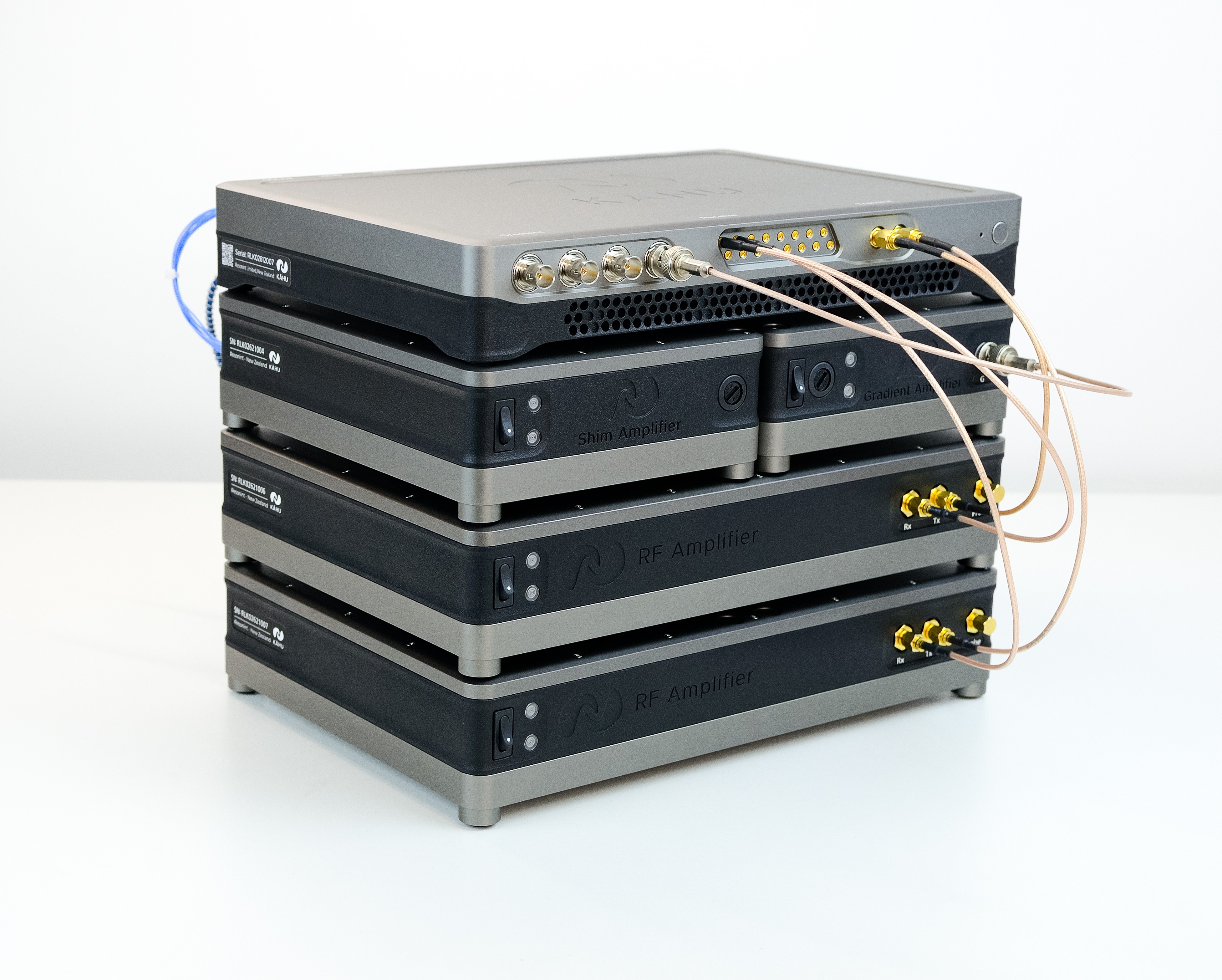
Dual Channel Spectroscopy Stackup
This stackup consists of the following hardware modules:
Kāhu Spectrometer
Gradient Amplifier
Shim Amplifier
Two 50 W RF Amplifiers
Hardware Setup
This section will guide you through the setup process for the Dual Channel Spectroscopy configuration.
Step 1 - Amplifier tuning
First confirm that both the RF amplifiers are tuned to their target frequency by fitting the correct quarter-wave line module in each. To learn how to change the quarter-wave line module, see the How to retune the 50W RF Amplifier section.
Step 2 - Stacking
Begin by stacking the modules as shown below, with the two RF amplifier modules at the base of the stack, followed by the Shim and Gradient Amplifiers and with Kāhu on the top. When viewed from the back, the gradient amplifier is on the left and the shim amplifier on the right.
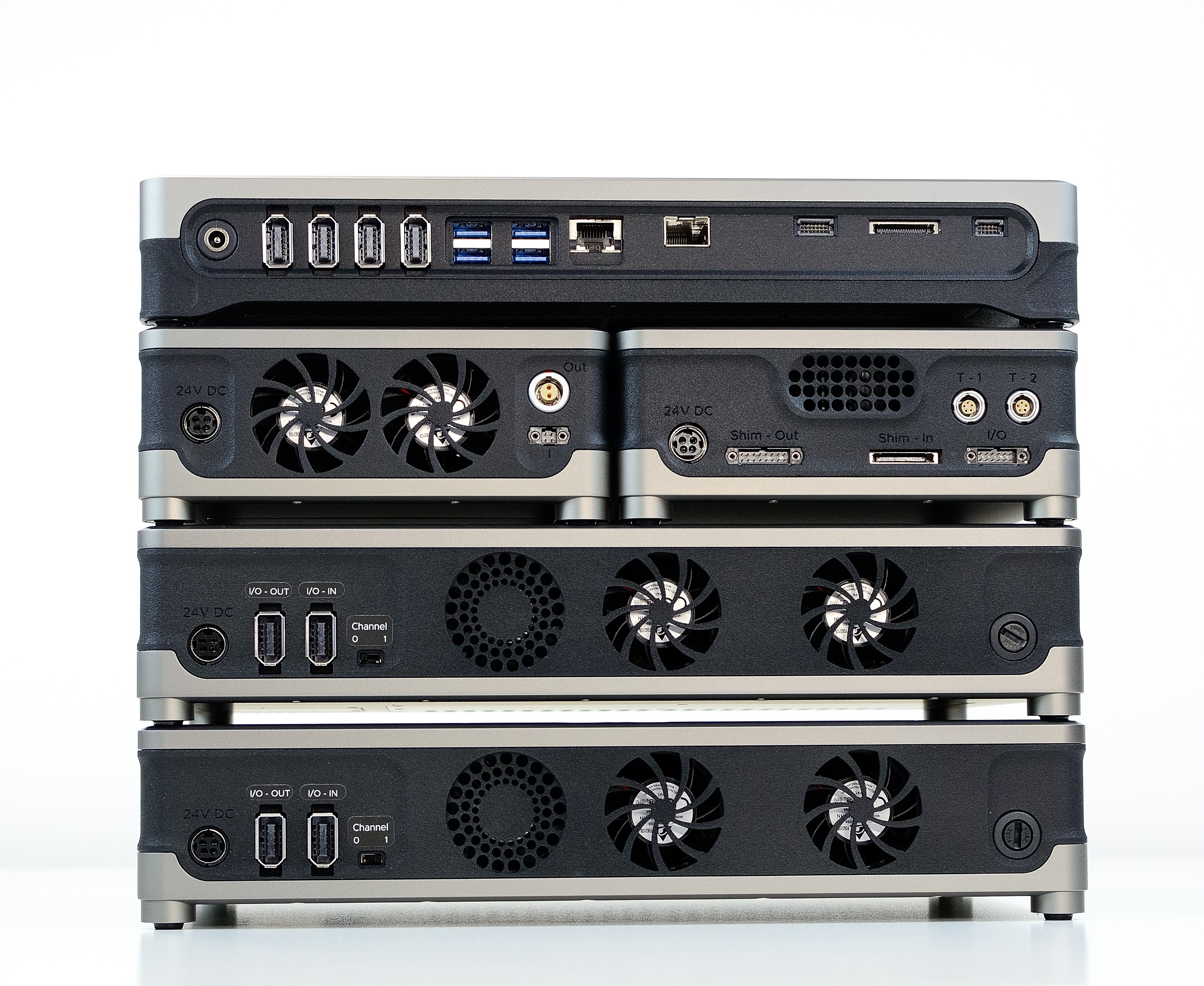
Rear view of Dual Channel Spectroscopy Stackup
Step 3 - Cable connections
Warning
Ensure amplifier modules are powered OFF during Kāhu power up and shutdown, or while changing RF connections.
Complete the rear, then front cable connections for each module following the setup guides listed below.
Step 2 - 3 in the 50 W RF Amplifier Setup Guide
Step 1 - 2 in the Shim Amplifier Setup Guide
Step 1 - 2 in the Shim Amplifier Setup Guide
Caution
Ensure each module is powered with the correct supply by taking note of the power rating
Your stackup should now look the same as the images below.
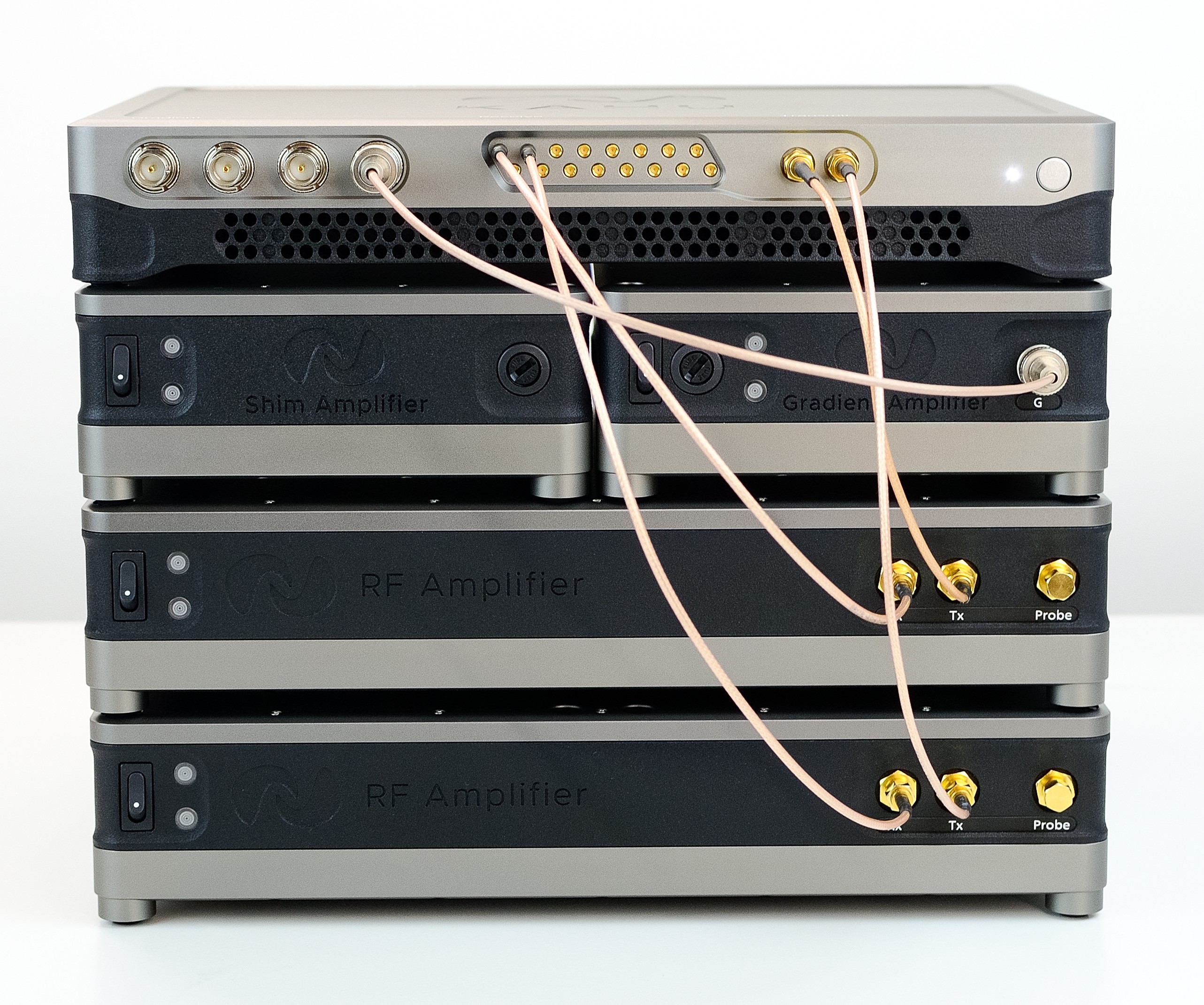
Stackup Front connections
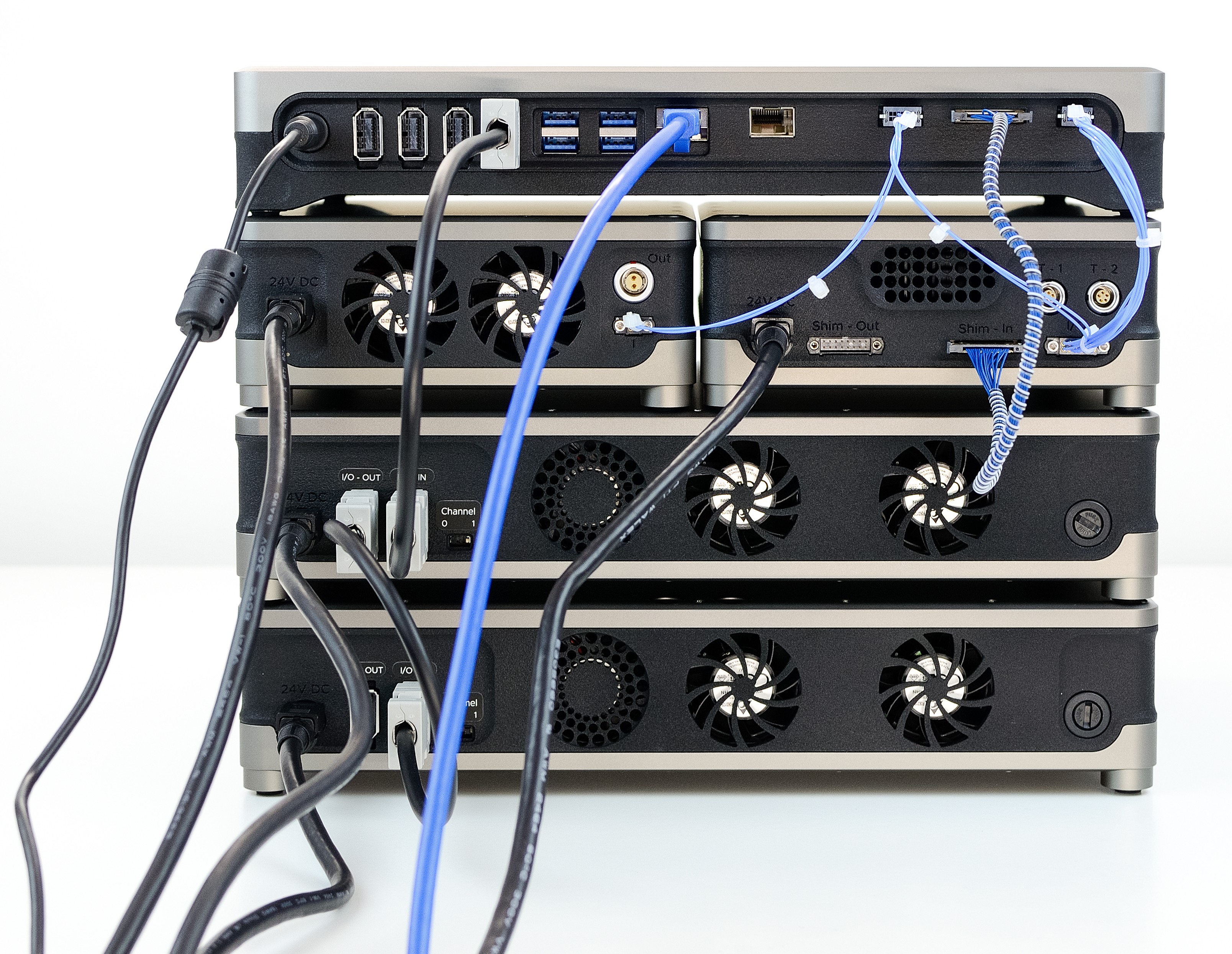
Spectroscopy Stackup rear connections
Step 4 - Power up
Finally you may power on Kāhu and establish a network connection from your PC. Once Kāhu power up has finished, you can power on the Amplifiers with the power switch on the front of each module. The power light of each hardware module will illuminate when powered, and the blue light will flash on when the modules are active/amplifying as seen in the image below.
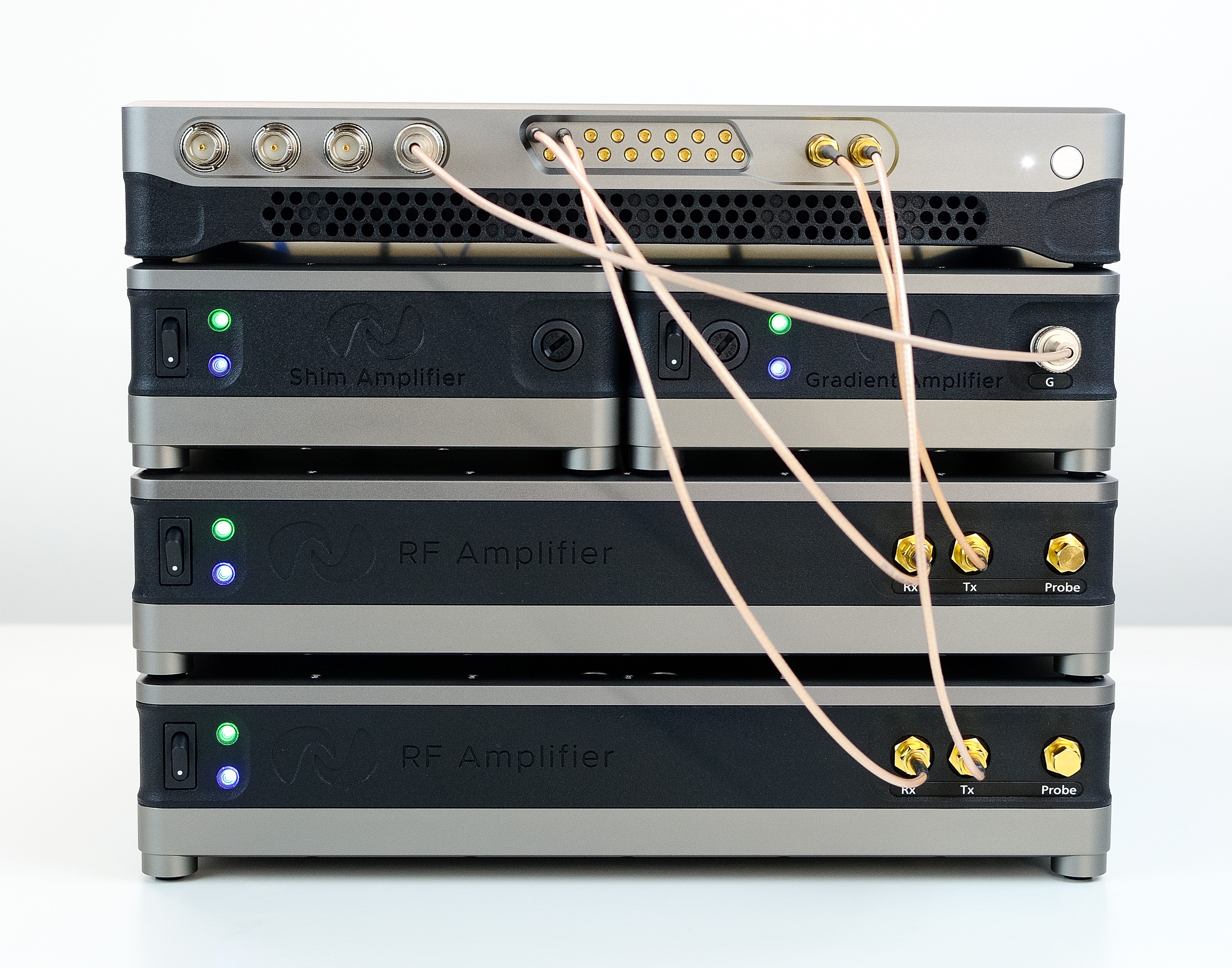
All modules powered on and active